
Lucidea’s Lens: Knowledge Management Thought Leaders
Part 122 – Helen Lippell

Stan Garfield
 Helen Lippell is a taxonomy, search, metadata, and semantic modeling consultant. She helps organizations sort out their messy content and data.
She is experienced in designing information architectures, metadata schemas, taxonomies, and semantic models to help organizations fully exploit the value of their content. Helen has designed and implemented taxonomies for websites, intranets, content management systems, enterprise search solutions, and semantic publishing tools. She has tamed unstructured data, including financial data, local news, entertainment listings, government information, and operational policing policies.
Helen’s specialties include managing search engines, taxonomy, metadata, content analysis, A-Z indexes, text analysis, search insight, search user experience, findability, information architecture, content audits, categorization, automatic classification, navigation model design, and content modeling. She works on taxonomy development projects, including taxonomy audits, ontology modeling, tagging initiatives, semantic publishing, knowledge graphs, and metadata training. She writes and speaks regularly and is the program chair of Taxonomy Boot Camp London.
Here are definitions for five of Helen’s specialties:
- Information Architecture (IA): Organizing, structuring, and labeling content effectively and sustainably to help users find information and complete tasks. IA helps users understand where they are, what they’ve found, what’s around, and what to expect.
- Metadata: Information about information – data fields added to documents, sites, files, or lists that allow related items to be listed, searched for, navigated to, syndicated, and collected.
- Ontology: A set of concepts and categories in a subject area or domain that shows their properties and the relations between them.
- Search Engines: Tools that allow searching for sites, documents, files, list items, content, answers to questions, and other digital information. They allow specifying the scope or domain of the search, whether to search on text, images, or metadata, and how results should be presented.
- Taxonomy: A particular classification arranged in a hierarchical structure that can be used to organize information so that it can be readily found through navigation, search, and links between related content.
Helen created the following content. I have curated it to represent her contributions to the field.
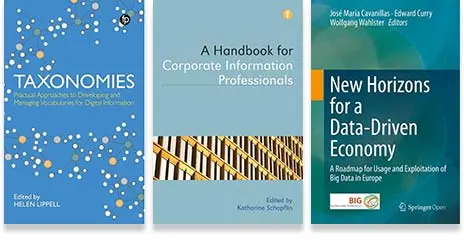
Books by Helen Lippell
The ABCs of the BBC: A Case Study and Checklist
Eight-point checklist for creating terrific A-Z indexes
- Know your audience: It’s vital to understand the way that your audience interacts with your website and your index. There are many ways of doing this; three that can be particularly useful are search log analysis, persona development, and user testing. Search logs have been invaluable throughout the lifecycle of the A-Z to highlight the areas of interest to users. They also shed light on the language used by people trying to find things on the site. Even though the A-Z is a browse tool and search is a search tool, don’t ignore the common goals of their respective users: finding stuff easily.
- Show your numbers: Don’t make your users guess: even if there’s only one non-alphabetic entry, show that it exists. Many indexes fudge the challenge of entries that begin with numerals by shoving them, for example, in under ”A” or “Z.” Chances are, the entries will only ever be found by serendipitous browsing or lucky guessing. Whatever it is labeled, make the numbers section or page prominent by placing it in front of the letter “A.” This is a convention in computer books that index technical concepts.
- Acknowledge articles: The question of how to deal with entries that start with “the,” “a,” or “an” became important for bbc.co.uk because of the sheer volume of program titles that needed to be added to the index. Eventually we decided to double-post entries under both the first letter of the article word and whatever letter the next word started with, hence entries for both “The Apprentice” and “Apprentice, The”. As with the previous tip, why make users stop to think about how the indexer might choose to see the content? The beauty of an A-Z over a directory or a sitemap is that different mental models can be supported and the same thing can appear in more than one place. This gives it an advantage over, say, the Grand Vizier’s camels.
- Include synonyms: Synonyms, in the form of “See: XX” references, appear throughout the bbc.co.uk index. As in the traditional thesaurus, they are used to show equivalence between a word or phrase and its preferred term. Synonyms in an A-Z add richness to the list of entries–and can often allow you to speak your users’ language without losing the ability to call entries by their correct names. Equally, synonyms play a role in educating users as to what those correct names are. For bbc.co.uk, many synonyms are used in the A-Z to provide alternative access paths to branded content. For example, the radio station Five Live is always written with a word rather than a number, but a user scrolling through the numbers page will see a pointer to it.
- Properly index proper names: People should be indexed by surname rather than first name, as per book indexing convention. There are of course some exceptions; for example, the names of monarchs (“Charles I”), certain celebrities (“Mel B”), or people from cultures where the surname appears before the first name (“Mao Tse-Tung”).
- Consider your cross-references: In general, the bbc.co.uk A-Z avoids excessive cross-referencing, which could make already long pages less usable and less attractive to casual browsers. However, bringing closely related concepts together can add value to the index and promote content in different places. Cross-references are shown as “See Also:” pointers in entries, such as a country name linked to content about the languages that are spoken there.
- Use qualifiers and extra information: Besides synonyms and cross-references, there are other ways to make your index more user-friendly. Qualifiers are extra bits of information in parentheses, attached to index entries, often for clarifying concepts. For example, the bbc.co.uk A-Z qualifies dance as “(Performing Art)” in order to differentiate it from dance music, which is also covered in depth on the site.
- Take pride in the index: Dealing with everything mentioned in the other seven tips will give your index a fighting chance of being successful. None of it will matter, however, if users cannot find it. Make the A-Z index available from all parts of your site if you can, preferably linking to it in a consistent, prominent place on every page. This might be in a toolbar or as part of the navigation. Whatever you do, don’t follow the example of some sites that put the link to the A-Z at the bottom of the page, in tiny size 1 font, with other links that very few people (apart from lawyers) ever see, let alone click on.
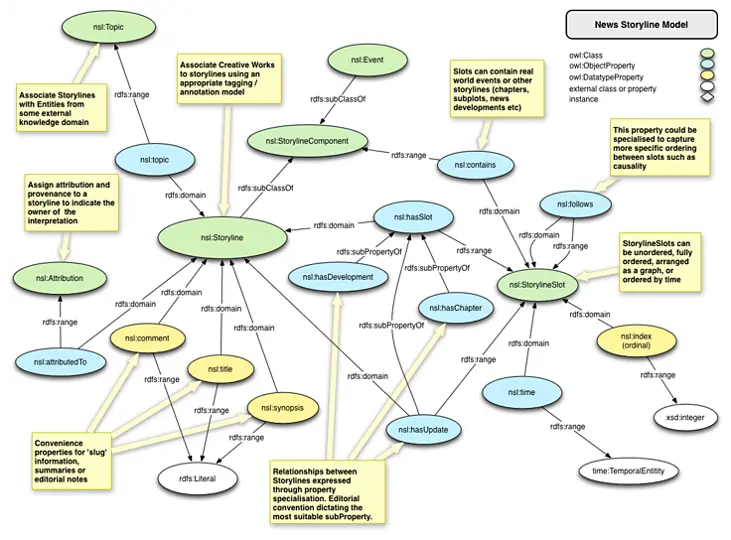
Storyline Ontology
The News Storyline Ontology is a generic model for describing and organizing the stories news organizations tell. The ontology is intended to be flexible to support any given news or media publisher’s approach to handling news stories. At the heart of the ontology, is the concept of Storyline. As a nuance of the English language the word ‘story’ has multiple meanings. In news organizations, a story can be an individual piece of content, such as an article or news report. It can also be the editorial view on events occurring in the world.
The journalist pulls together information, facts, opinion, quotes, and data to explain the significance of world events and their context to create a narrative. The event is an award being received; the story is the triumph over adversity and personal tragedy of the victor leading up to receiving the reward (and the inevitable fall from grace due to drugs and sexual peccadillos). Or, the event is a bombing outside a building; the story is an escalating civil war or a gas mains fault due to cost cutting. To avoid this confusion, the term Storyline has been used to remove the ambiguity between the piece of creative work (the written article) and the editorial perspective on events.
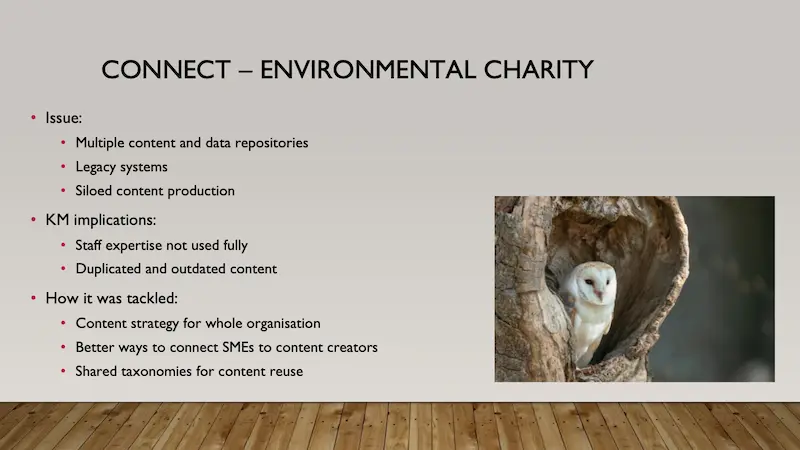
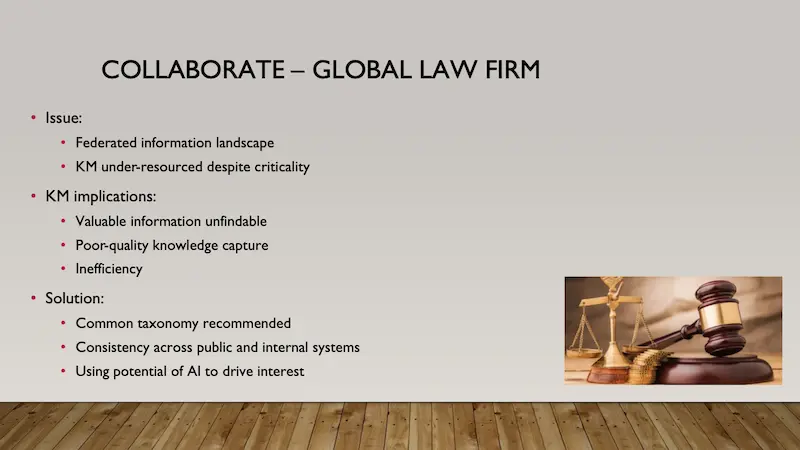
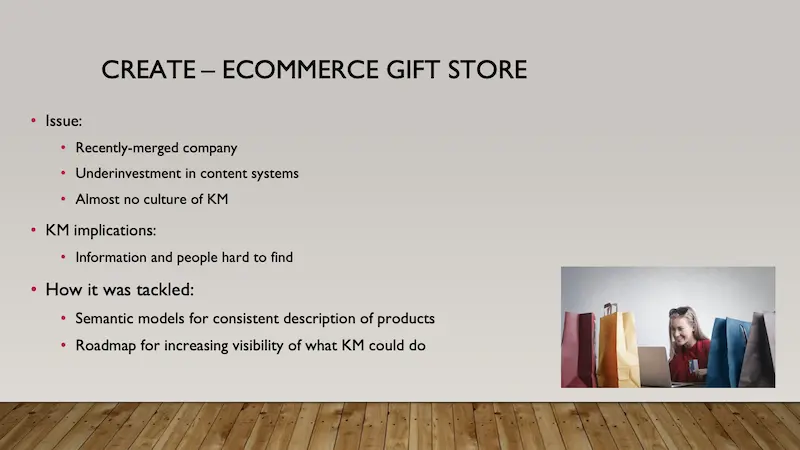
How I use the principles of KM to build high-quality semantic products for organization
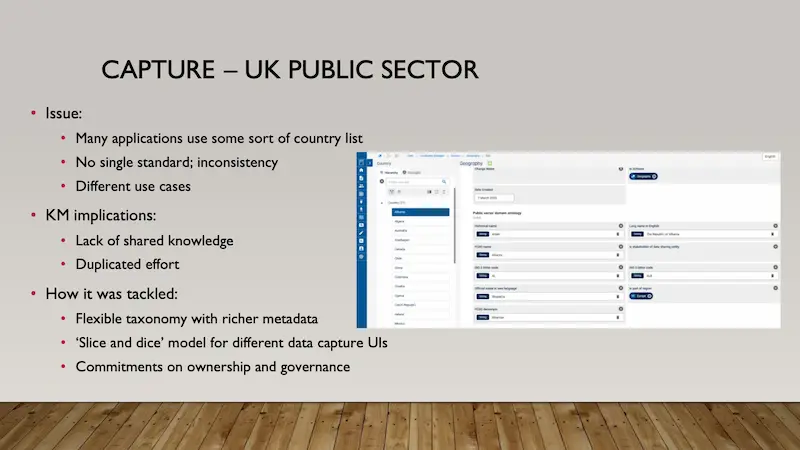
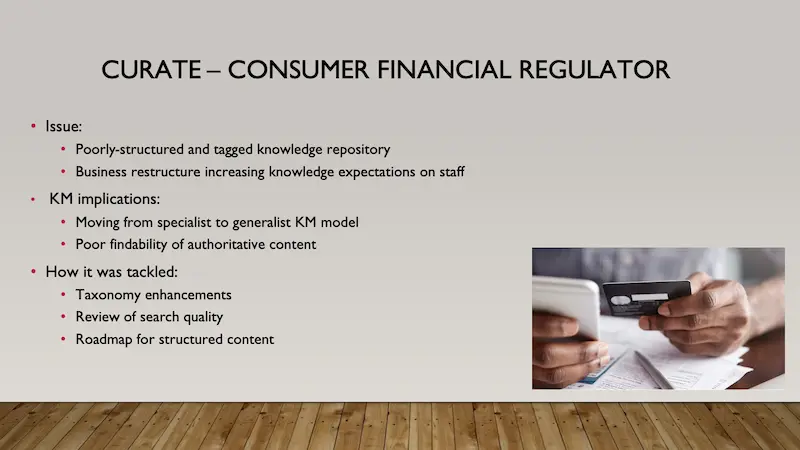
Five short case studies using The Five Cs of KM.
Searching for KM software that enables you to curate, manage, and share organizational intelligence in a single venue? Get in touch to learn about Presto!
Stan Garfield
Please enjoy Stan’s blog posts offering advice and insights drawn from many years as a KM practitioner. You can download a free copy of his book Profiles in Knowledge: 120 Thought Leaders in Knowledge Management from Lucidea Press, and its precursor, Lucidea’s Lens: Special Librarians & Information Specialists; The Five Cs of KM. Learn about Lucidea’s Presto, SydneyDigital, and GeniePlus software with unrivaled KM capabilities that enable successful knowledge curation and sharing.
**Disclaimer: Any in-line promotional text does not imply Lucidea product endorsement by the author of this post.
Never miss another post. Subscribe today!
Similar Posts

The LEXICON Framework Part 4: Integrate with Existing Systems
Stan Garfield explores practical ways to embed KM tools into the platforms your team already uses reduces friction, boosts adoption, and makes organizational knowledge easier to access.

The LEXICON Framework Part 3: 10 Ways to eXplain the Value of Knowledge Management
KM expert Stan Garfield offers 10 practical ways to explain and prove the value of knowledge management using Clare Bilobrk’s LEXICON framework.

The LEXICON Framework Part 2: Empower Champions of KM
In part two of our LEXICON series, we explore how empowering KM champions can strengthen knowledge management adoption. Discover practical strategies to identify champions, define their roles, and connect them across your organization.

The LEXICON Framework Part 1: Link KM to Daily Workflows
Stan Garfield explores the LEXICON framework for KM, sharing 16 strategies to embed knowledge management into daily workflows effectively.
Leave a Comment
Comments are reviewed and must adhere to our comments policy.
0 Comments