



ArchivEra for Large or Distributed Archives
Contents
Is ArchivEra Right for Large or Distributed Archives?
Yes. ArchivEra is a comprehensive archival collections management system that can support your level of operational complexity, whether that involves multiple users, departments, or locations; sizable or intricate collections; or the need to balance secure internal control with public access. If you’re looking for a powerful, highly configurable archival CMS, this page will help you decide whether ArchivEra is the right fit.
Is ArchivEra the Right CMS for Your Archives?
If several of the scenarios below sound familiar, ArchivEra could be a good choice for your new archival CMS:
- A large number of users or user groups. Several staff, and often volunteers, working in the system, each needing appropriate access.
- Multiple departments or locations. Teams spread across sites, branches, or functions that need to work from one shared, consistent system.
- Complex collections. Sizable holdings, varied formats, or descriptions that span multiple standards and local practices.
- A need to balance secure control with public access. Restricted materials to protect, alongside collections you want discoverable to researchers and the public.
What Challenges Do Large or Distributed Archives Face?
Scale and distribution introduce challenges that smaller, single-user setups rarely encounter, such as:
- Keeping descriptions consistent when many people, across departments or locations, are contributing.
- Managing who can see and edit what, especially with sensitive materials and mixed staff/volunteer teams.
- Providing public access to collections without exposing restricted records.
- Maintaining an accurate operational picture—accessions, usage, activity—across the whole organization.
- Avoiding the fragmentation that comes from spreadsheets, siloed databases, or tools that don’t scale.
How Does ArchivEra Address These Challenges?
ArchivEra is designed to handle the complexity of managing large or distributed archives.
- Consistent, standards-based description across contributors—supporting DACS, RAD, ISAD(G), Dublin Core, and EAD3, plus fields specific to your collections.
- Granular permissions and secure access. Restrict access to specific records or individual fields, so distributed and mixed teams see only what’s appropriate. Backed by secure hosting, TLS encryption, and SOC 2 certification.
- A balance of control and discovery. Protect restricted materials while making the collections you choose discoverable to the public.
- Operational visibility at scale. In-depth reporting, usage statistics, scheduled reports, CSV export, and audit trails give you a clear picture across the organization.
- Configurable, without IT. Set up processes, manage users, and build reports directly, so a distributed team can adapt the system as needs change.
When Might a Simpler System Fall Short?
Spreadsheets, general-purpose databases, or entry-level systems might be good enough to start working with a straightforward collection. But as an archives adds users, locations, and restricted materials, those tools tend to strain.
- Access control becomes all-or-nothing, making it hard to protect sensitive materials.
- Consistency slips when multiple contributors work without shared standards and structure.
- Reporting and oversight turn manual and time-consuming.
- Supporting public access and secure internal work in the same tool becomes difficult.
If you’re bumping into these limits, it’s usually a sign your archives has outgrown your current setup—and upgrading to a purpose-built platform can save you effort and risk.
What Should You Ask When Evaluating Archives Software?
Whatever system you’re considering, these questions help you gauge its fit for a large or distributed archives:
- Can the system support multiple users and locations working from one consistent source?
- How granular is its access control? Can we protect specific records and fields?
- Does it support the descriptive standards our collections require?
- Can we balance secure internal work with public discovery?
- What reporting gives us visibility across departments and sites?
- Can our team configure and administer it without IT or developer support?
- Will it scale as our collections, users, and access needs grow?
Comparing systems? Download The Archivist’s Advantage: Choosing the Right Collections Management System for an in-depth guide to evaluating your options.
ArchivEra is Built for Archives of All Sizes
There’s no single right answer for every archives—the goal is to find the system that fits how you actually work. If your archives is large or distributed, manages complex collections, or needs to balance secure control with public access, ArchivEra is built for you.
If your archives is smaller in team or collections size, ArchivEra may still be a fit through our right-sized Essentia Program. See Is ArchivEra the Right CMS for Small Archives or Lone Arrangers?
Either way, the best next step is a conversation about your specific situation.
Talk with Lucidea about whether ArchivEra is the right fit for your archive.
Frequently Asked Questions
Can ArchivEra support archives with multiple departments or locations?
Yes. ArchivEra is web-based, so staff and volunteers at every site work in one shared system and follow the same descriptive standards. Role and group-based permissions let each team see and edit only what’s appropriate for its role.
How does ArchivEra protect restricted records?
You can set access restrictions at the record level, and they carry down through the collection hierarchy, so restricting a series also covers the files and items within it. Restrictions work separately from user permissions, which means you can honor donor terms and access rules while still controlling who on staff can edit what.
Can the public search our collections without seeing restricted material?
Yes. You decide which, if any, components of your collections are available for public viewing. ArchivEra’s public portal automatically hides restricted material, so you can make the collections you choose discoverable to researchers and the public without exposing confidential records.
Helpful Resources for Evaluating Your Archival CMS Options
Not ready to speak with our team just yet? Explore these self-serve resources to help you evaluate archival collections management software and move forward with confidence.
Watch the Product Tour
Take a closer look at ArchivEra’s features, interface, and workflows.
Download the Buyer’s Guide
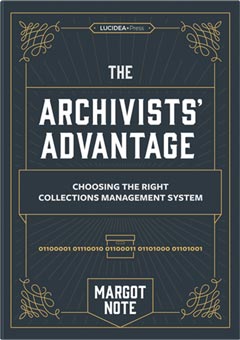
The Archivists’ Advantage: Choosing the Right Collections Management System features advice from Margot Note, a seasoned archives expert and consultant with significant experience in heritage organizations. It’s written for archivists selecting an archival collections management system for the first time or replacing an existing CMS to meet changing needs.